It is logical that through my
exploration of UDL that technology would play a prominent role in its
applications. Technology is an extremely broad term that covers a wide range of
devices and mediums.
The three key types of technology are:
1) Mainstream
Technology (iPad’s,
laptops, cameras, smart phones)
2) Instructional
Technology or
Educational Technology (SMART Board, document reader)
3) Assistive
Technology (hearing
aids/cochlear implants, braille materials)
I want to preface this by saying that,
while technology is a dynamic support for a UDL classroom, it does not MAKE a
classroom UDL. It is merely a tool, and should be used as such. You will find
some situations where using a traditional method (i.e. Pen to paper) is more
efficient, and sometimes, it is the only option. In a school or division where
there is limited access to high end technology, there are still mediums you can
use to support learning in your classroom.
Assistive
technology can assist
students with daily functions and movements, as well as sensory access so that
they are able to learn and actively participate. This form of technology IS
essential for students inside and outside of the classroom.

During one of my teaching experiences,
the school I was in had a select number of iPads
for each classroom, in addition to SMART
Boards and document readers (combination
of mainstream and instructional technology). The document reader is a great way to present material so that students throughout the room can see it. If you were to do a read aloud, you could place the book on the reader, and the image would be projected on a screen. Some document readers can even be connected to SMART Boards. This tool benefits ALL, not just the few.
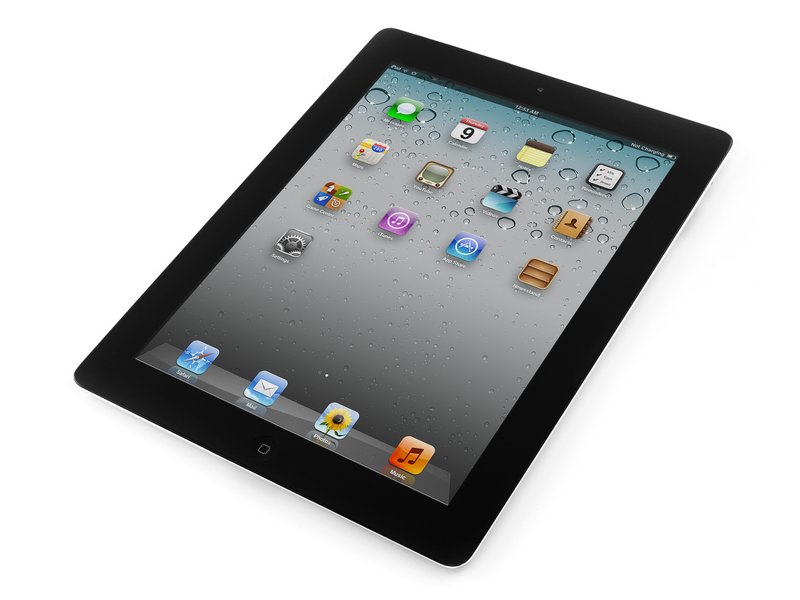 IPads are a helpful resource that you can utlizie to reach a world of information at your fingertips. It
proved very useful during one of our social studies explorations where research
was a large component. IPad’s also have other capabilities such a voice
recording, which you could use as a medium for assessment, for students who may
be unable to write, but are able to convey the same knowledge through speech.
This is not to say that supporting and working on printing are unimportant, but
in a subject, say science, where the content knowledge is the priority,
recording a child explaining a concept to you could make all the difference. It
provides an additional way for children to convey information to you, and you
can in turn take that information and use it as assessment for, as, or of their
learning.
IPads are a helpful resource that you can utlizie to reach a world of information at your fingertips. It
proved very useful during one of our social studies explorations where research
was a large component. IPad’s also have other capabilities such a voice
recording, which you could use as a medium for assessment, for students who may
be unable to write, but are able to convey the same knowledge through speech.
This is not to say that supporting and working on printing are unimportant, but
in a subject, say science, where the content knowledge is the priority,
recording a child explaining a concept to you could make all the difference. It
provides an additional way for children to convey information to you, and you
can in turn take that information and use it as assessment for, as, or of their
learning.
Through the use of iPad’s there are a
variety of apps that can support a UDL classroom environment: math apps,
visual/writing/research support apps, and alternatives to writing. Below I have
included a link to a great website that offers apps under these categories that
can be used in your classroom!
 Another form of technology that can be
used as a support in a UDL classroom is a microphone
collar/necklace. This is something I had access to during my student
teaching, and was impressed by how it not only helps you communicate with
students, but how it supports my style of teaching. I don’t like to yell. I have
a teacher voice, but I don’t feel as though shouting at students gets, or
holds, their attention. With the microphone, if the noise level in the room got
a little higher than normal, you can still speak at a calming and comfortable
level, but your voice is amplified for you. It saved my voice! You simply wear
it around your neck, much like a necklace, but be sure to take it off when you’re
not in the classroom! There are also other variations that can clip or hook on
to your clothing. This is something that I know I will be incorporating into my
classroom!
Another form of technology that can be
used as a support in a UDL classroom is a microphone
collar/necklace. This is something I had access to during my student
teaching, and was impressed by how it not only helps you communicate with
students, but how it supports my style of teaching. I don’t like to yell. I have
a teacher voice, but I don’t feel as though shouting at students gets, or
holds, their attention. With the microphone, if the noise level in the room got
a little higher than normal, you can still speak at a calming and comfortable
level, but your voice is amplified for you. It saved my voice! You simply wear
it around your neck, much like a necklace, but be sure to take it off when you’re
not in the classroom! There are also other variations that can clip or hook on
to your clothing. This is something that I know I will be incorporating into my
classroom!
Even though there were no students in my
class with any perceived hearing concerns, it was still used and benefited
from. If you do have a student with hearing disabilities, it serves the same
function of making sure that your voice is being heard by all of your students
in a clear and calm way. This captures the essence of what UDL stands for.
While these microphones may be designed to support those with perceived
disabilities, they in fact benefit the whole.
Below the app link, I have provided a
link to a resource that has a wide range of tools for different classroom needs
(literacy, reading, research, etc.) each themed link can be followed to another
page that has a wide variety of resources! Check it out!

No comments:
Post a Comment